

Feature Flags
Create and manage feature flags with targeting and rollout in the Console.
Feature Flags (Console)
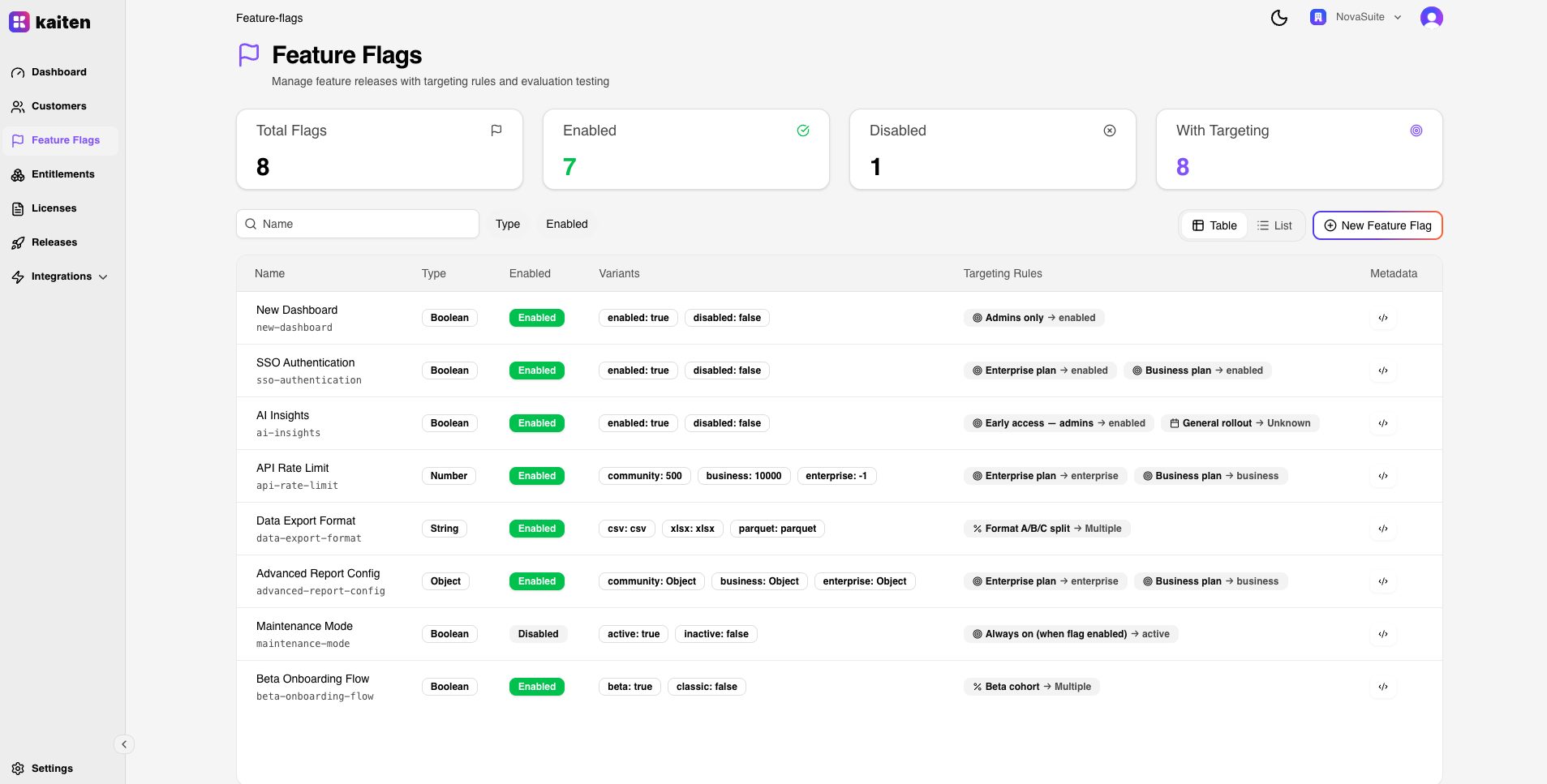
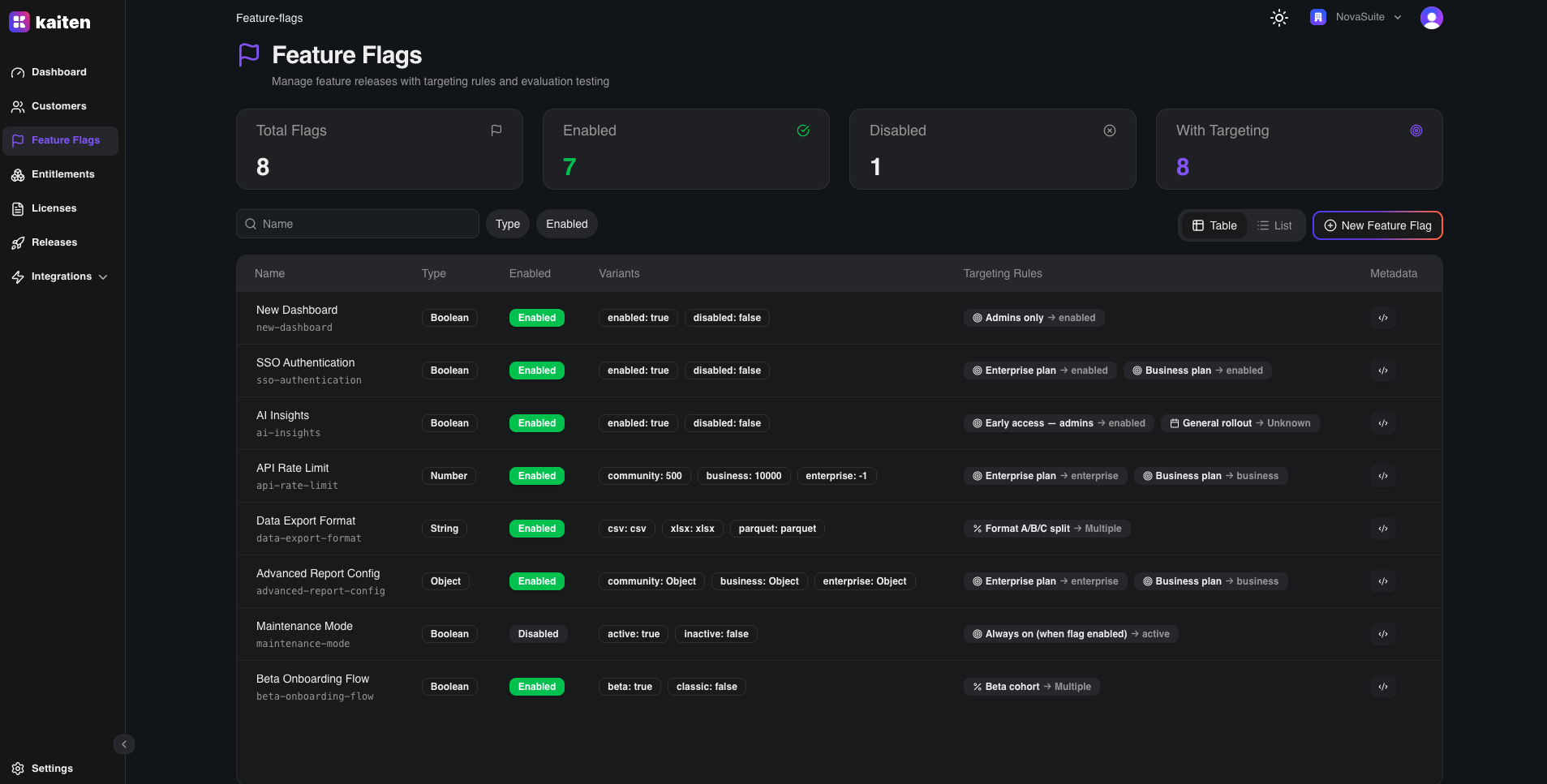
The Feature Flags section (/feature-flags) provides a visual interface for managing runtime feature control.
Flag List
The main view shows all feature flags with their name, type (boolean / string / number / object), enabled status, and number of targeting rules.
Creating a Flag
- Navigate to Feature Flags → New Flag
- Fill in:
- Name — Flag name
- Type —
boolean,string,number, orobject - Variants — Define the possible values
- Default Variant — What returns when no targeting rule matches
- Enabled — Whether the flag is active
- Click Create
Flag Detail
Click a flag to see its detail page with tabs:
Overview Tab
- Flag metadata, type, and enabled status
- Default variant configuration
Variants Tab
- Edit the list of possible values
- For boolean flags:
on(true) /off(false) - For string flags: arbitrary string per variant (e.g.
"red","blue") - For number flags: numeric value per variant (e.g.
0,42) - For object flags: arbitrary JSON objects per variant
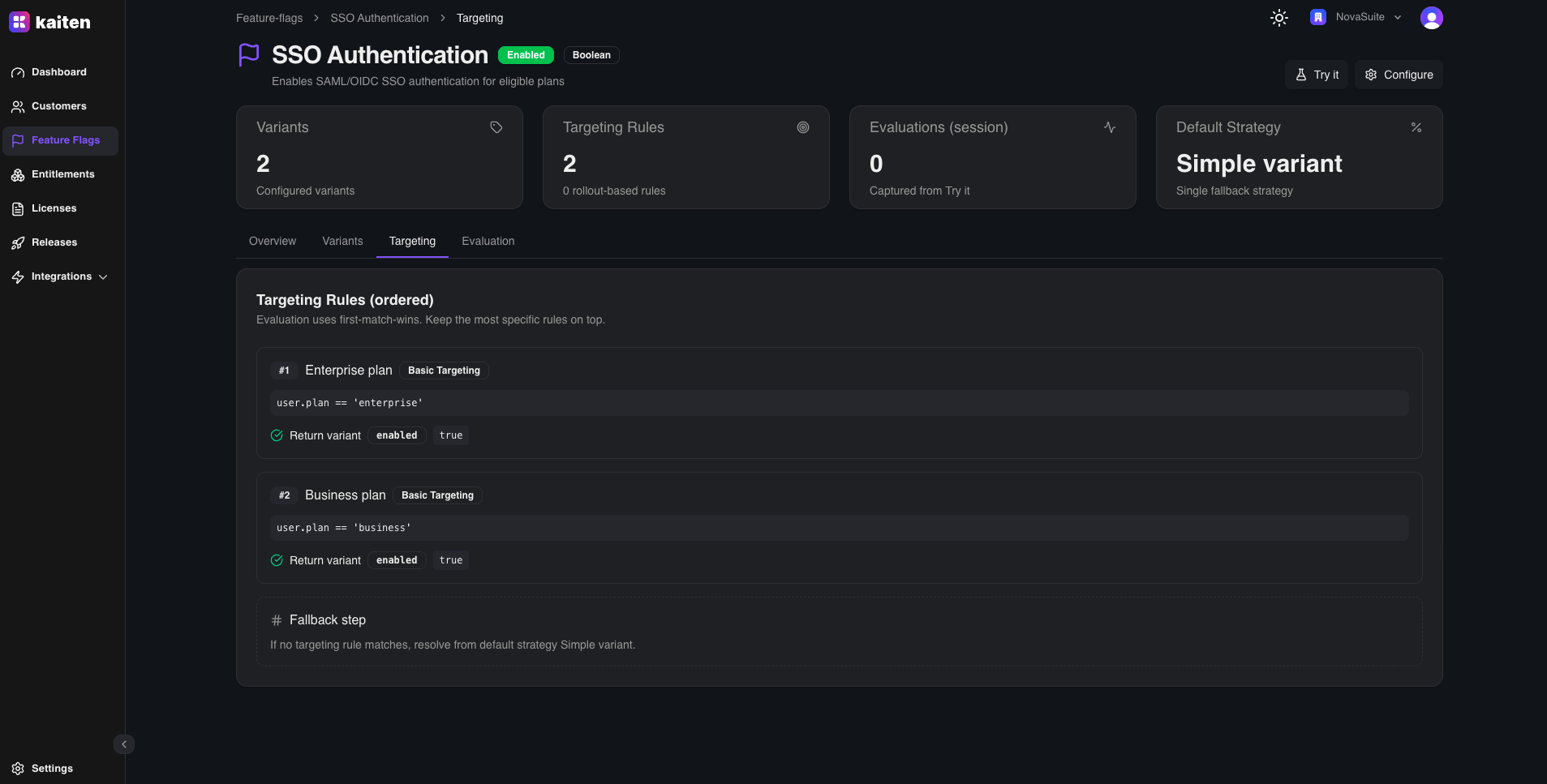
Targeting Tab
- Add targeting rules using CEL expressions
- Rules are evaluated in order — first match wins
- Example:
user.plan == "enterprise"→ variantenabled - Support for complex expressions:
region in ["us", "eu"] && orderCount > 100

Evaluation Tab
The Evaluation tab lets you test how a flag resolves for a given context — directly from the Console, without writing any code.
Enter a JSON context object and see which variant is returned, along with the reason (whether a targeting rule matched or the default was used).
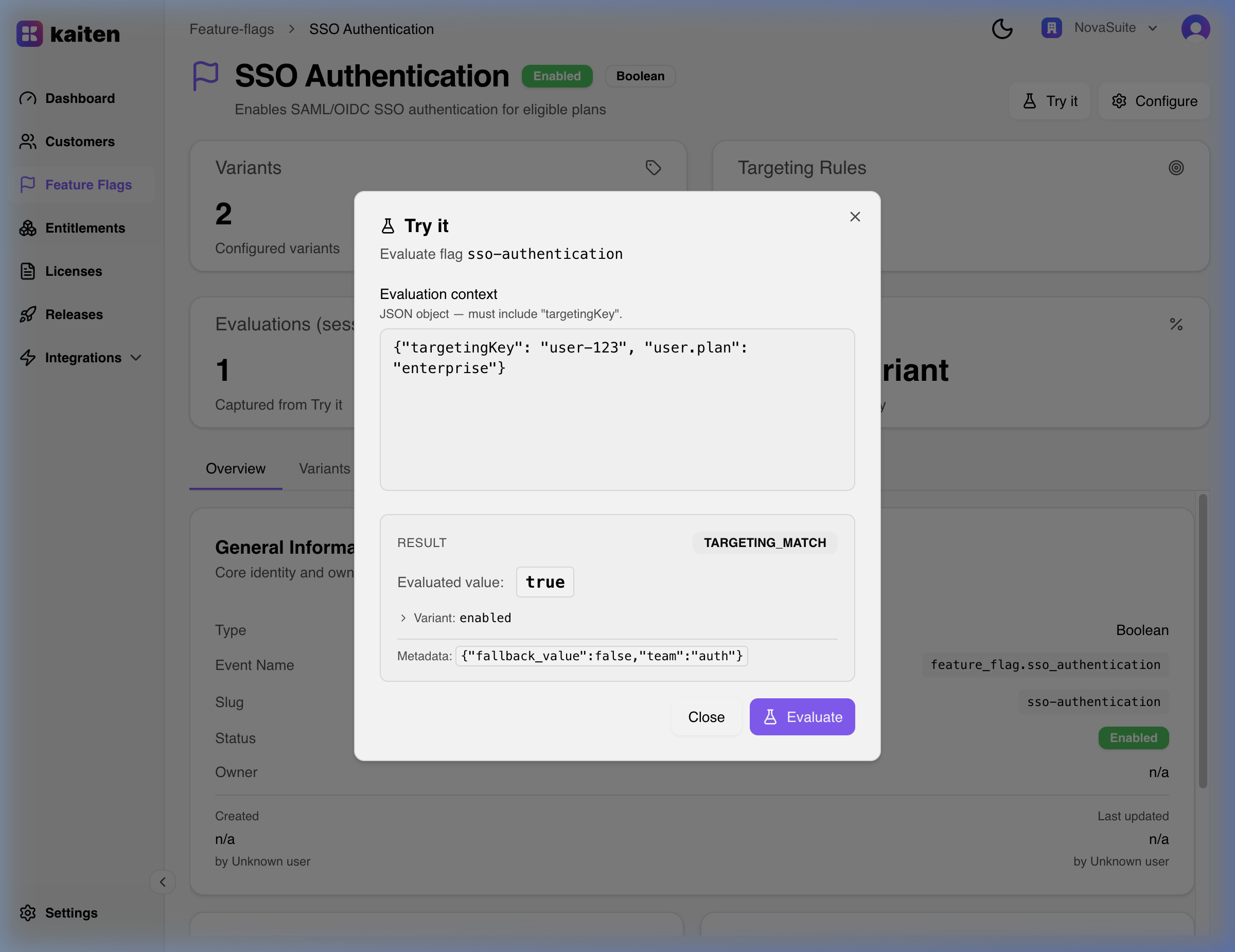
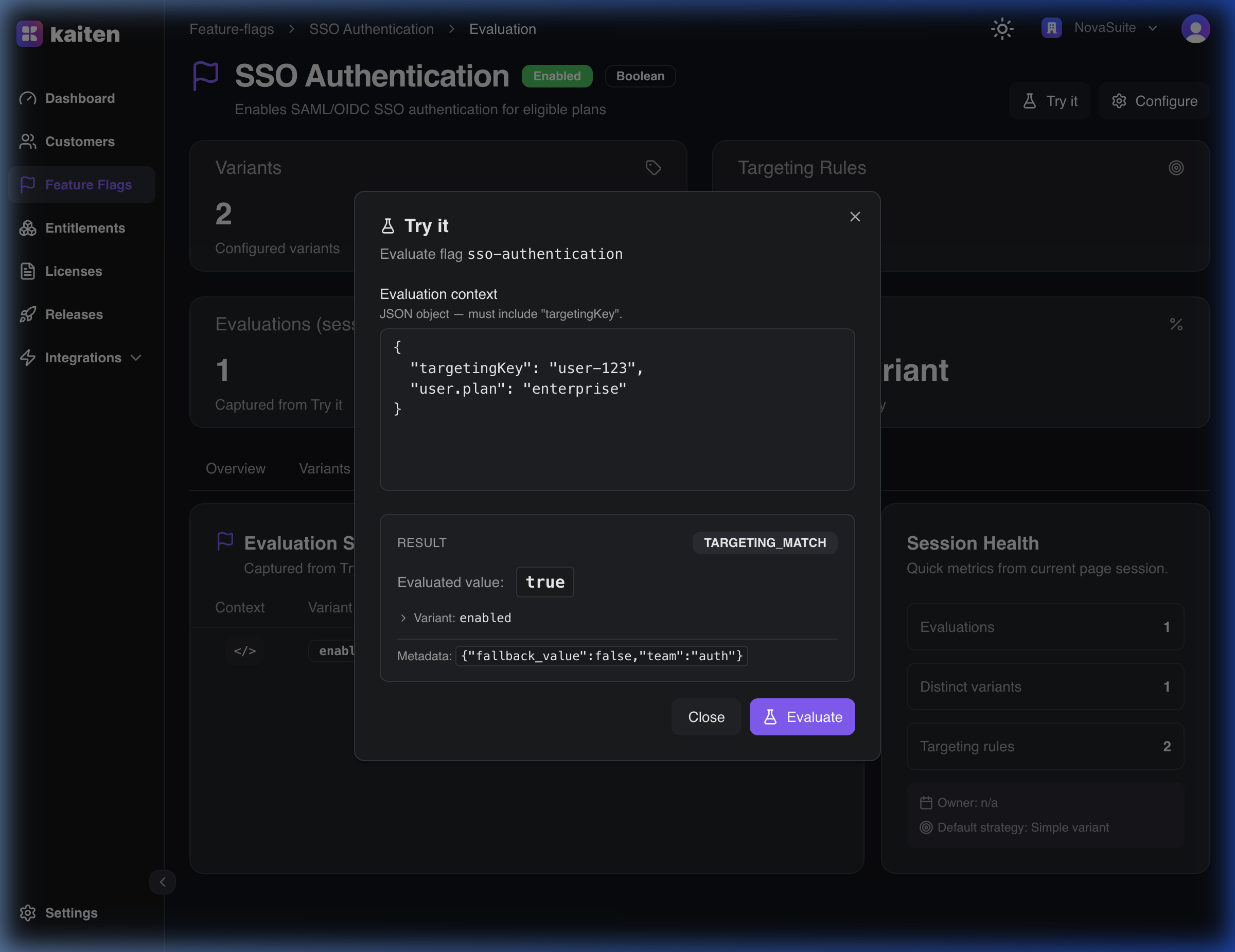
Example — evaluating the SSO Authentication flag with an Enterprise customer context:
{
  "context": {
    "user.plan": "enterprise"
  }
}
Result:
{
  "key": "sso-authentication",
  "value": true,
  "variant": "enabled",
  "reason": "TARGETING_MATCH"
}
The rule user.plan == 'enterprise' matched → the enabled variant was returned.
Evaluate via API (OFREP)
Kaiten implements the OpenFeature Remote Evaluation Protocol (OFREP) — a standard HTTP API for evaluating flags. Your backend calls this endpoint at runtime to get the flag value for a specific customer context.
Authentication
OFREP requires a ksh_* API token with the read:feature_flags scope. Human JWT tokens (from the Console) are not supported for OFREP.
POST /api/ofrep/v1/evaluate/flags/{flagKey}
Authorization: Bearer ksh_xxx
Content-Type: application/json
Single Flag Evaluation
Evaluate one flag by its slug, passing any context variables needed by your targeting rules:
curl -X POST https://your-kaiten-instance.com/api/ofrep/v1/evaluate/flags/sso-authentication \
  -H "Authorization: Bearer ksh_xxx" \
  -H "Content-Type: application/json" \
  -d '{
    "context": {
      "user.plan": "enterprise"
    }
  }'
Response — targeting rule matched:
{
  "key": "sso-authentication",
  "value": true,
  "variant": "enabled",
  "reason": "TARGETING_MATCH",
  "metadata": {}
}
Response — no rule matched, default returned:
{
  "key": "sso-authentication",
  "value": false,
  "variant": "disabled",
  "reason": "DEFAULT",
  "metadata": {}
}
Evaluation Reasons
| Reason | Description |
|---|---|
TARGETING_MATCH | A targeting rule matched the context |
DEFAULT | No rule matched — default variant returned |
DISABLED | Flag is disabled |
ERROR | Flag not found or invalid context |
Bulk Evaluation
Evaluate all flags at once in a single request — useful for loading all feature state at startup:
curl -X POST https://your-kaiten-instance.com/api/ofrep/v1/evaluate/flags \
  -H "Authorization: Bearer ksh_xxx" \
  -H "Content-Type: application/json" \
  -d '{
    "context": {
      "user.plan": "enterprise",
      "user.role": "admin"
    }
  }'
Response:
{
  "flags": [
    {
      "key": "sso-authentication",
      "value": true,
      "variant": "enabled",
      "reason": "TARGETING_MATCH"
    },
    {
      "key": "new-dashboard",
      "value": true,
      "variant": "enabled",
      "reason": "TARGETING_MATCH"
    },
    {
      "key": "api-rate-limit",
      "value": -1,
      "variant": "enterprise",
      "reason": "TARGETING_MATCH"
    },
    {
      "key": "maintenance-mode",
      "value": false,
      "variant": "inactive",
      "reason": "DISABLED"
    }
  ]
}
You can pass any key-value pair in context. Your CEL targeting rules reference these variables directly — for example user.plan == "enterprise" or user.role == "admin" && region == "eu-west-1".
OpenFeature SDK Integration
Instead of calling OFREP directly, you can use any OpenFeature SDK (Go, Python, JavaScript) with Kaiten as the flag provider — the SDK handles the HTTP calls automatically.
See OpenFeature Providers for setup instructions.
Rollout Strategies
The default variant supports two strategies:
- Basic — Always returns a fixed variant
- Rollout Percentage — Distributes traffic across variants (e.g. 50/50)
Configure this in the flag detail → Overview → Default Variant section.
API Equivalent
| Action | Endpoint |
|---|---|
| List | GET /api/feature-flags |
| Create | POST /api/feature-flags |
| Get | GET /api/feature-flags/{slug} |
| Update | PUT /api/feature-flags/{slug} |
| Delete | DELETE /api/feature-flags/{slug} |
| Evaluate (OFREP) | POST /api/ofrep/v1/evaluate/flags/{key} |
| Bulk Evaluate | POST /api/ofrep/v1/evaluate/flags |